Infrastructure monitoring

Every server, container and VM — one view.

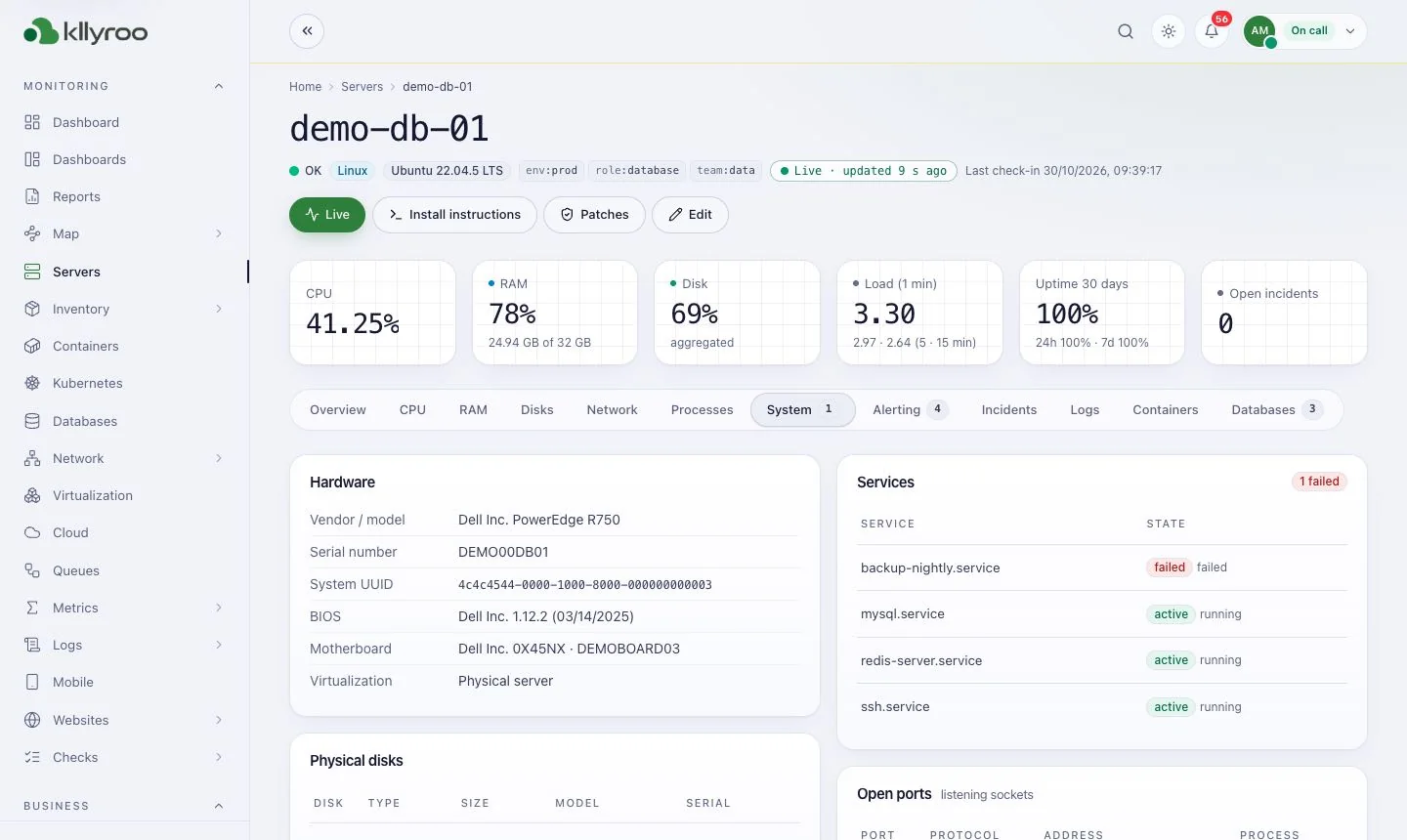
Lightweight agents for Linux and Windows report every minute, with per-second Live mode when you are firefighting. Containers, Kubernetes, databases, hypervisors and cloud accounts appear in the same host map, alerts and search.

Answer

Kllyroo monitors Linux (Debian, Ubuntu, RHEL, Rocky, AlmaLinux, SLES and more) and Windows Server 2016–2025 with outbound-only agents that open no ports. It adds Docker, Kubernetes, databases, VMware / Hyper-V / Proxmox and AWS / Azure / GCP accounts, plus inventory, patch compliance and change tracking.

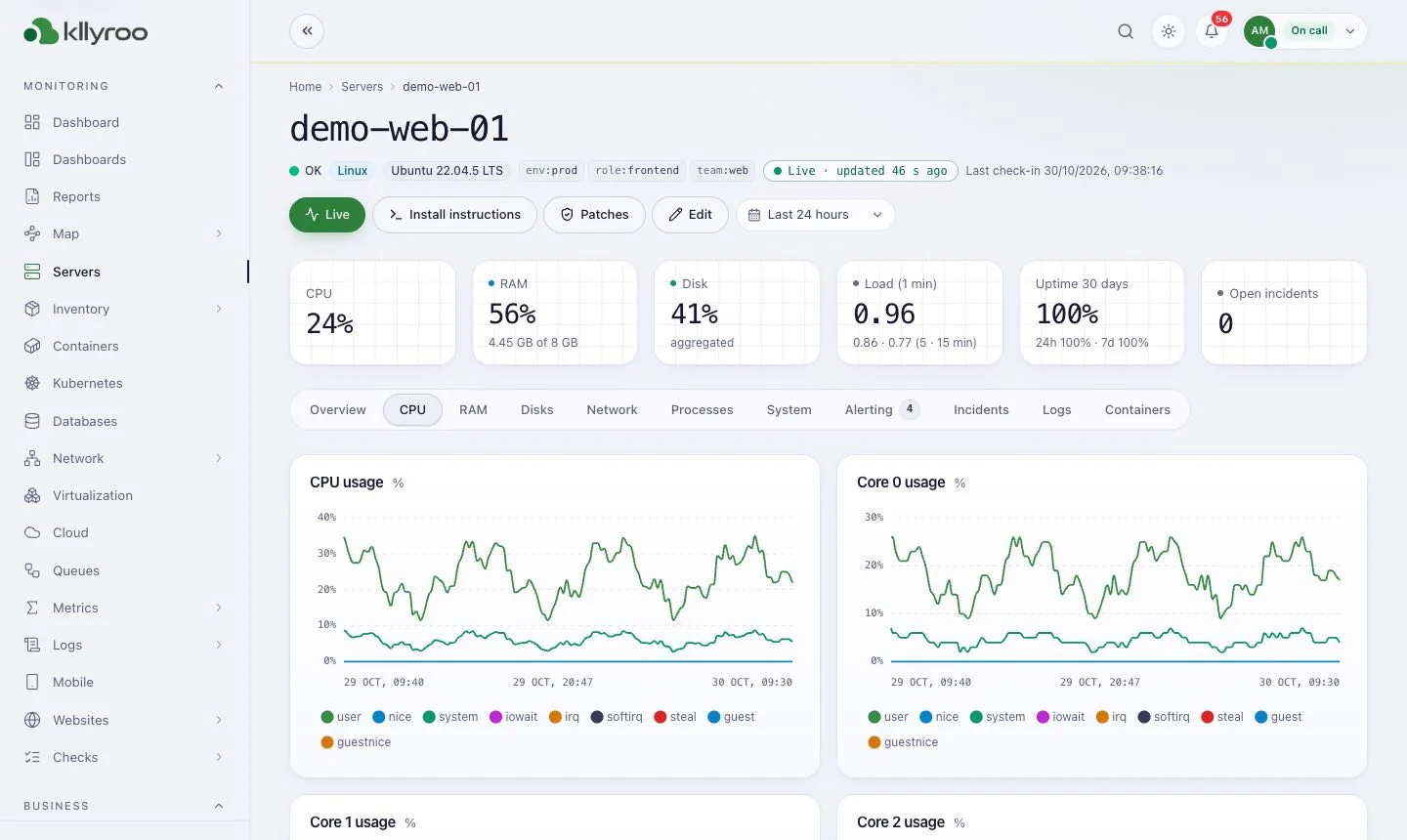
kllyroo.your-company.local/servers/demo-web-01
Kllyroo server detail page with CPU, load, RAM, network, disk and inode charts and the server info card
Server detail: health tiles, charts and server info
Capabilities

What you get

Linux & Windows servers

Outbound-only HTTPS agents (Linux agent, PowerShell 5.1+ Windows agent). Deploy with one command, GPO, Intune or SCCM.

  • CPU, memory, disk, network, processes, services
  • Windows event logs and services
  • Live mode: per-second data on demand (~1.5% of one core)
Containers & Kubernetes

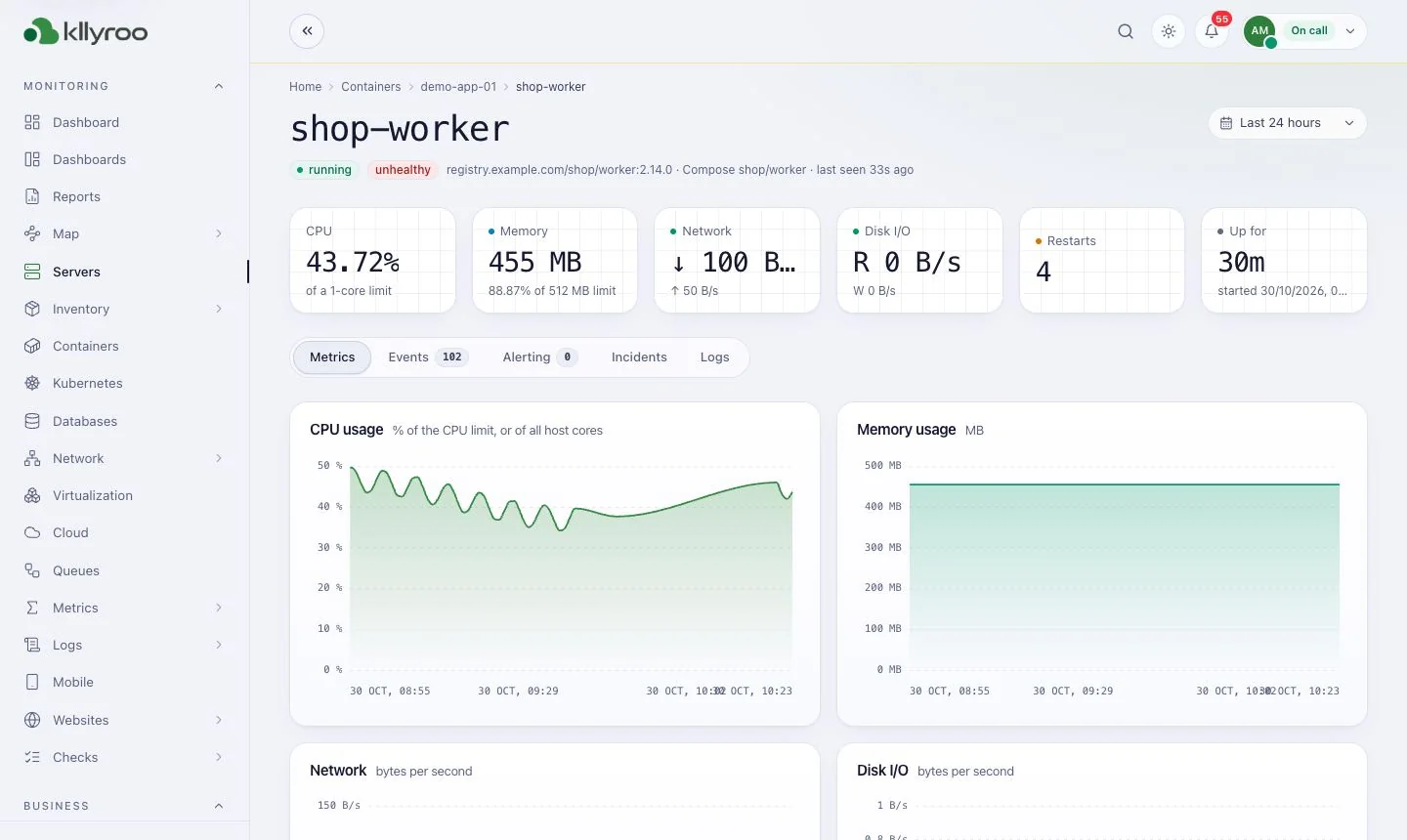
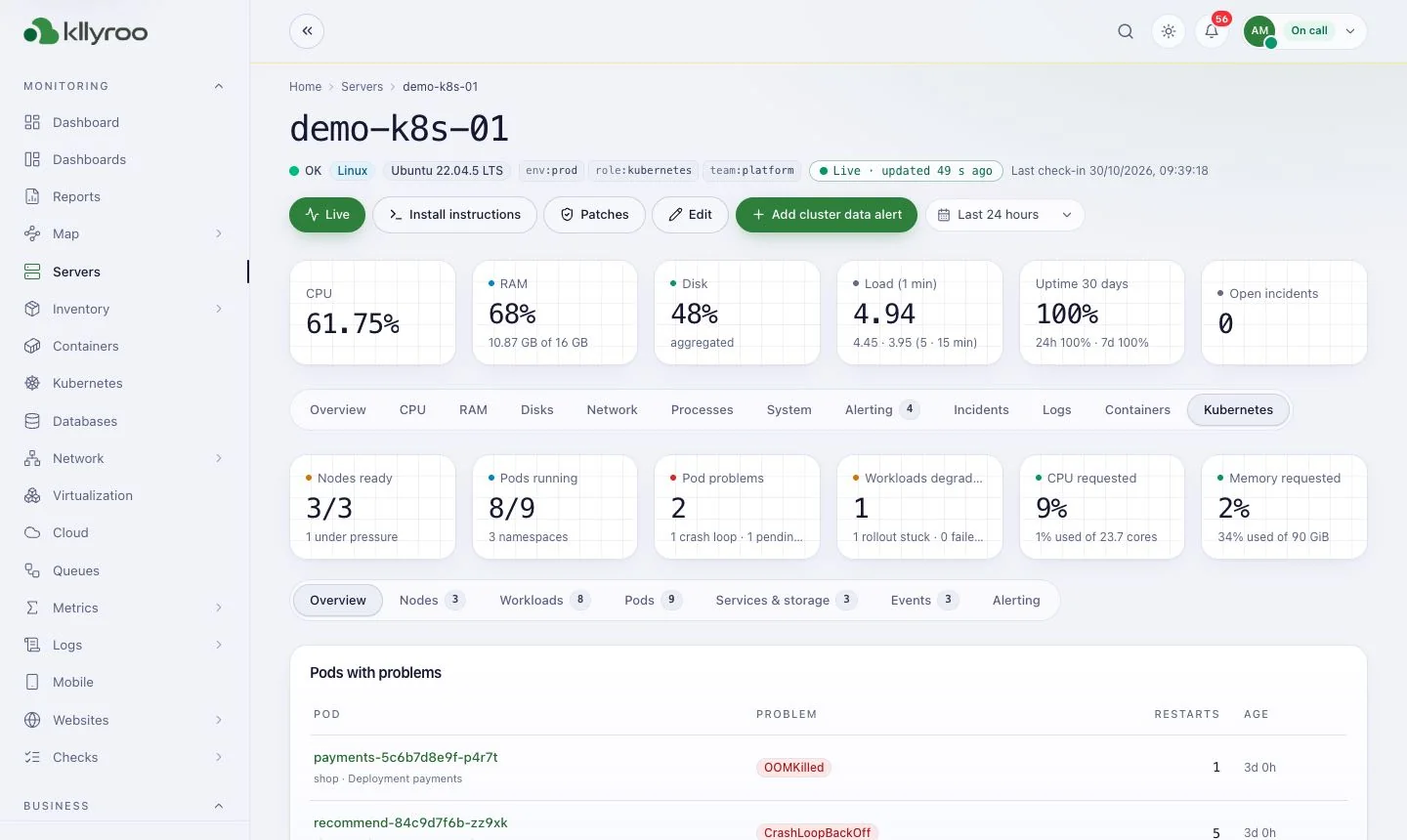
Docker container metrics and alerts; Kubernetes clusters, nodes, workloads and events.

  • Restart loops, OOM kills, pending pods
  • Per-namespace and per-workload views

Databases

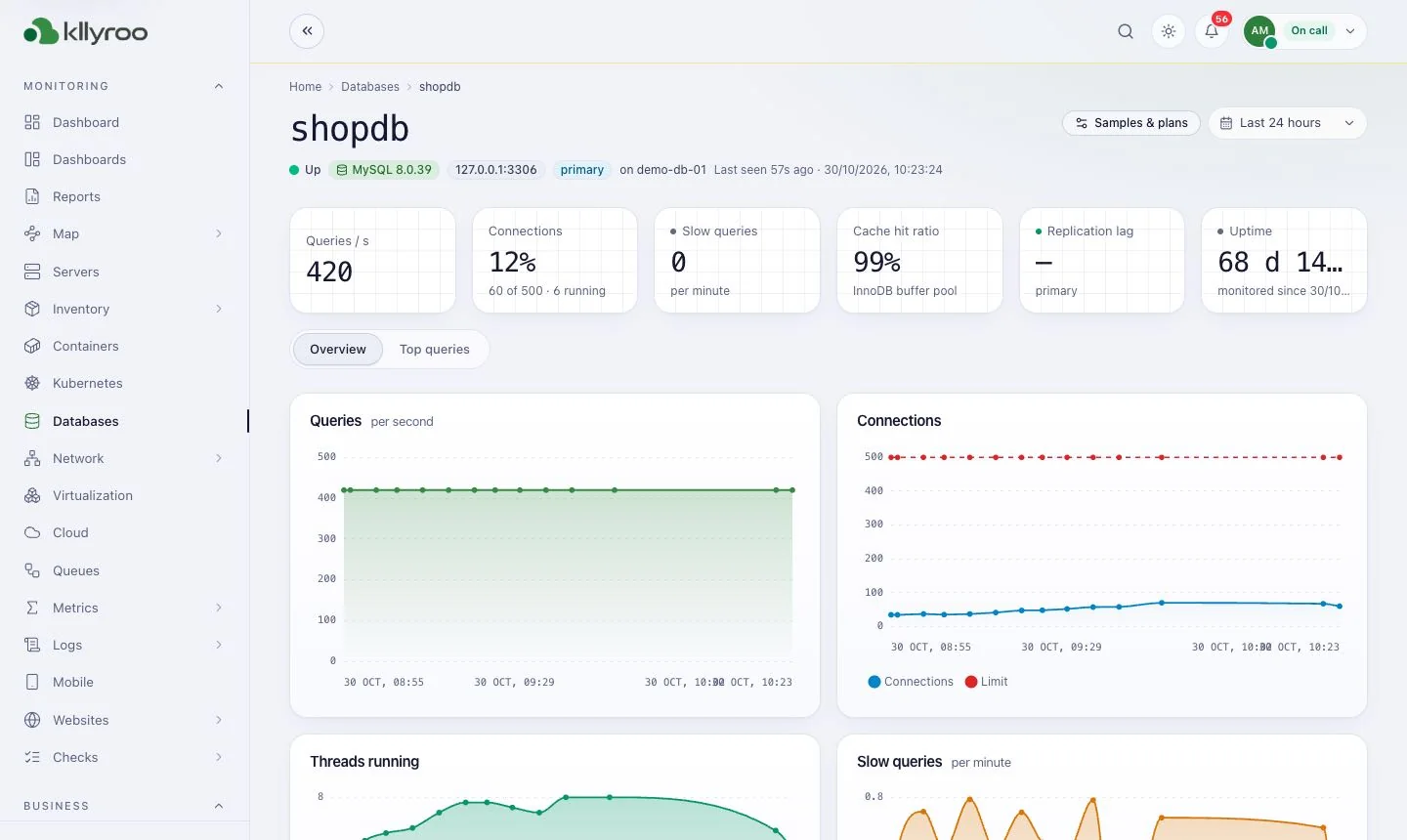
Database monitors with query samples and plans, so slow queries show up beside the server that runs them.

Cloud & virtualization

AWS, Azure and GCP accounts; VMware, Hyper-V and Proxmox hosts and VMs in the same inventory.

Inventory, CMDB & patching

Asset inventory, installed software and licences, patch compliance, policies and deployments.

Metrics, PromQL & cost controls

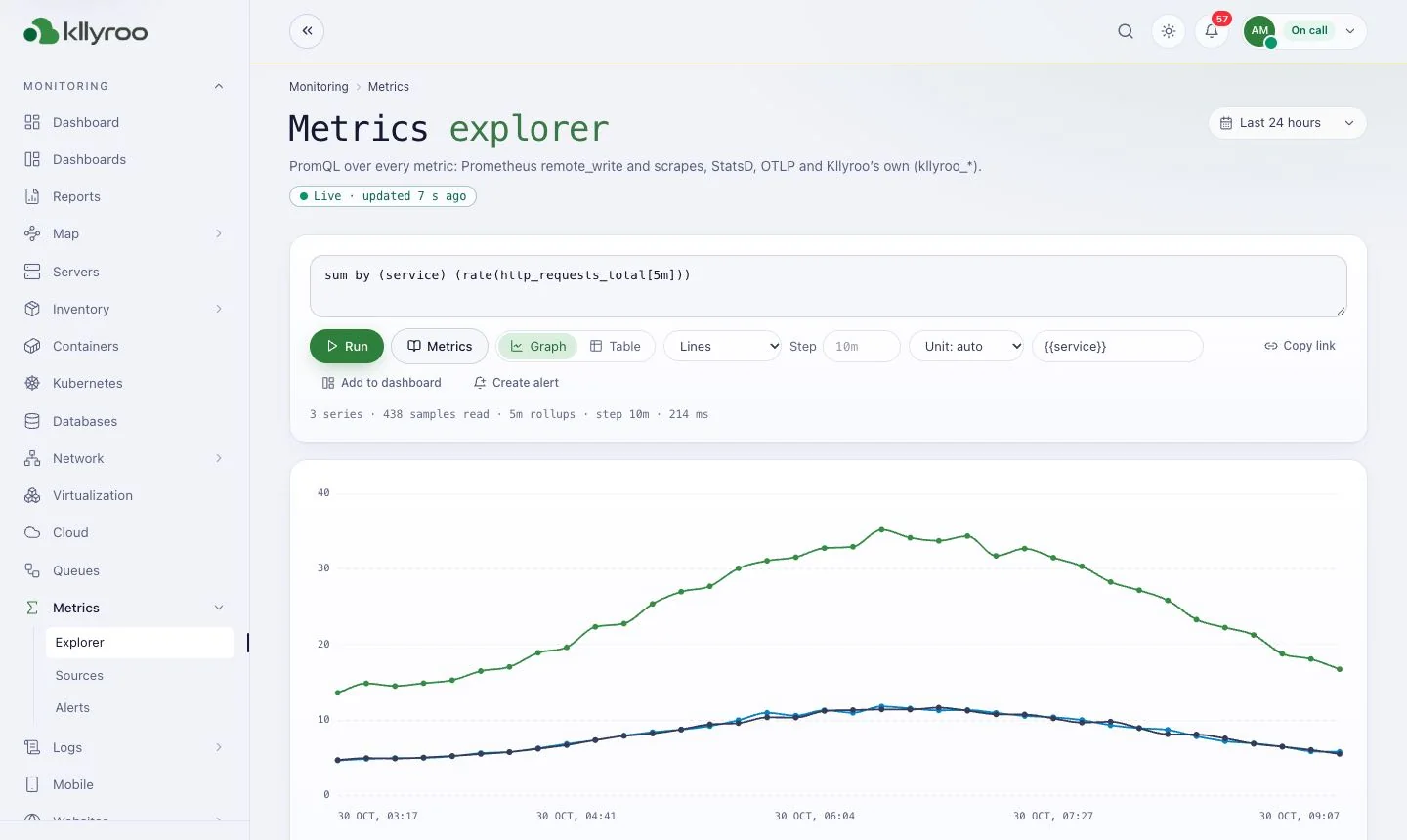
Metrics explorer with PromQL, Prometheus remote_write, adaptive metrics and storage guardrails that show days of disk left.

Host map

Spot the hot server before users do

The home overview shows every host as a tile coloured by CPU, memory or disk. Top consumers, fleet trends against last week and open incidents sit on the same screen, so the NOC sees the whole estate at a glance.

  • Tags and saved views per team, site or customer
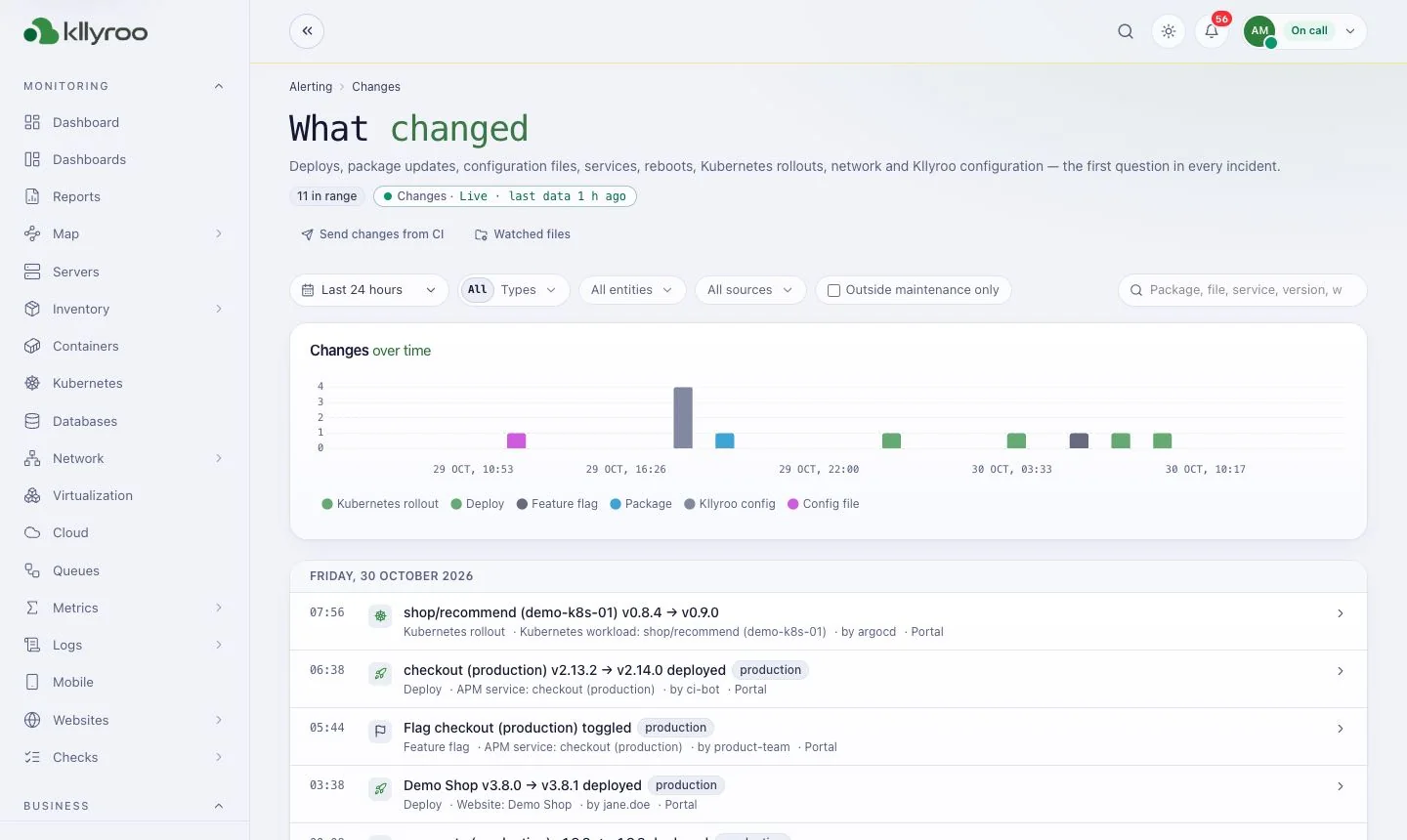
  • Change tracking: deploys, package and config changes linked to alerts
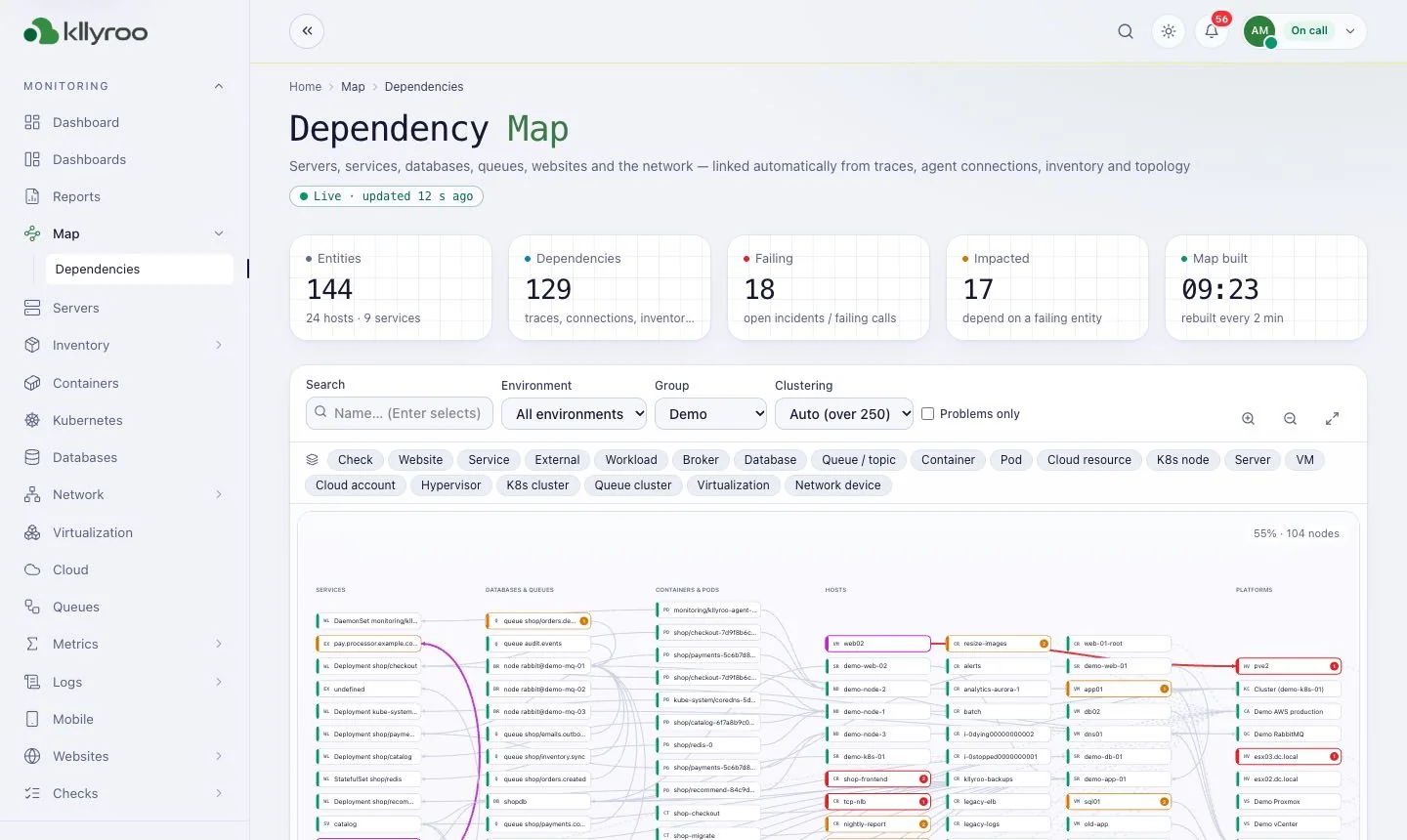
  • Dependency map across every monitor
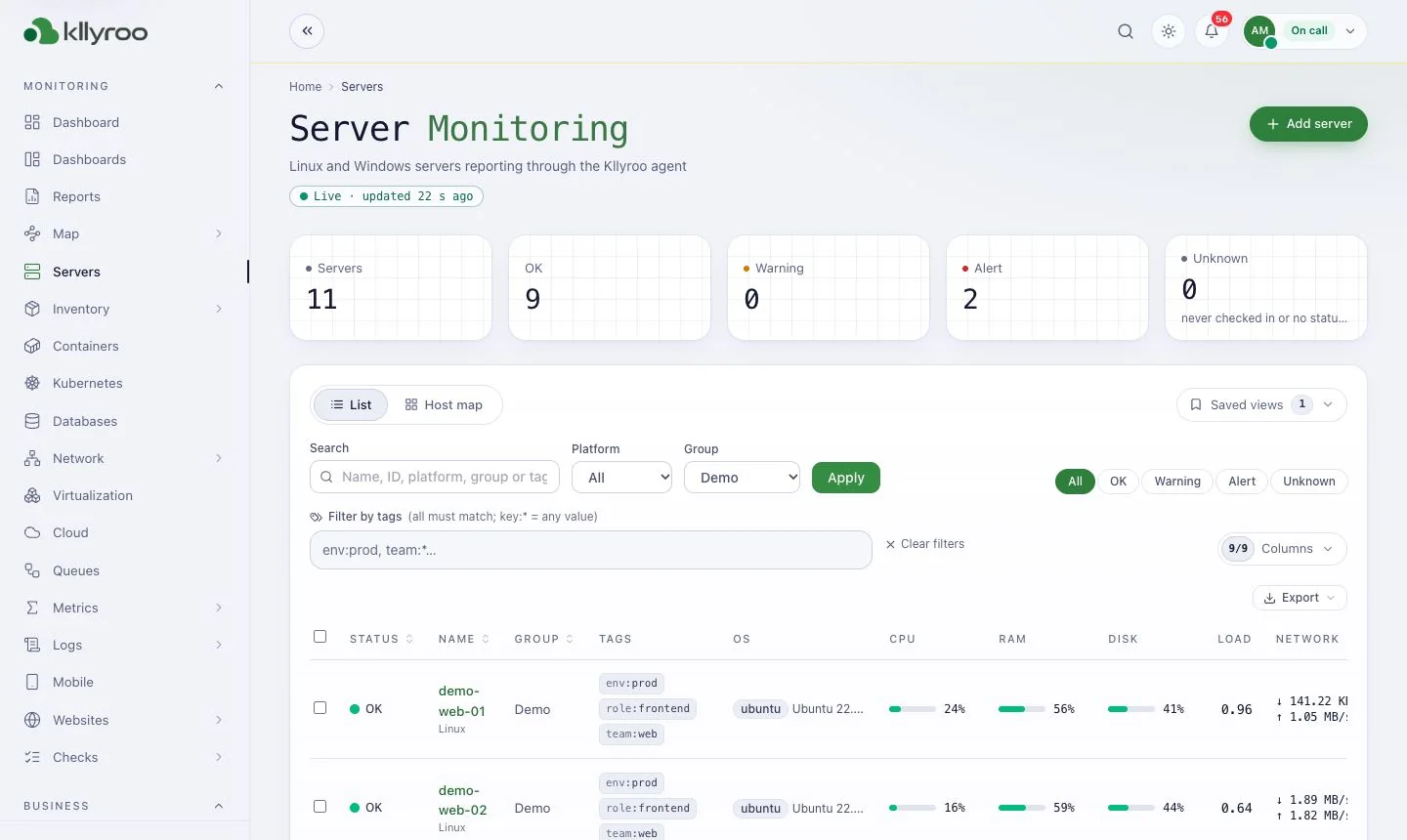
kllyroo.your-company.local/servers
Kllyroo Server Monitoring list with status tiles and a host map coloured by CPU
Product screens

More screens from the Kllyroo portal

Real screenshots from the Kllyroo user guide (demo data). Click any image to enlarge.

kllyroo.your-company.local
Kllyroo Server list screen: Every Linux and Windows server with status, CPU, memory, disk and uptime.

Server list

Every Linux and Windows server with status, CPU, memory, disk and uptime.

kllyroo.your-company.local
Kllyroo Processes screen: Running processes with CPU, memory, user and command line.

Processes

Running processes with CPU, memory, user and command line.

kllyroo.your-company.local
Kllyroo Containers screen: Docker container status, health and CPU / memory charts.

Containers

Docker container status, health and CPU / memory charts.

kllyroo.your-company.local
Kllyroo Kubernetes screen: Nodes ready, pods, workloads and pods with problems.

Kubernetes

Nodes ready, pods, workloads and pods with problems.

kllyroo.your-company.local
Kllyroo Databases screen: MySQL, PostgreSQL, SQL Server, Oracle, MongoDB and Redis instances.

Databases

MySQL, PostgreSQL, SQL Server, Oracle, MongoDB and Redis instances.

kllyroo.your-company.local
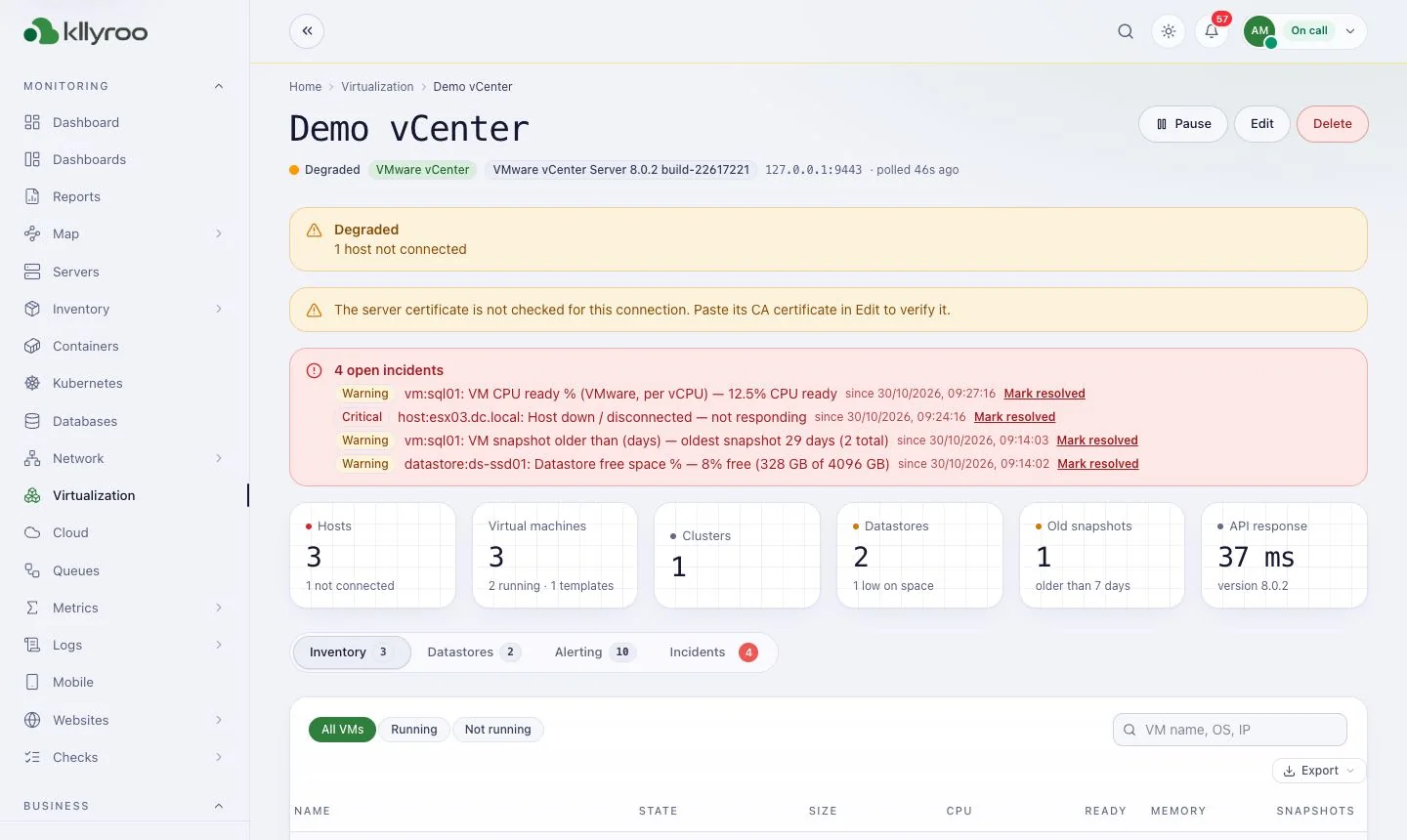
Kllyroo Virtualization screen: VMware vCenter hosts, VMs and datastores.

Virtualization

VMware vCenter hosts, VMs and datastores.

kllyroo.your-company.local
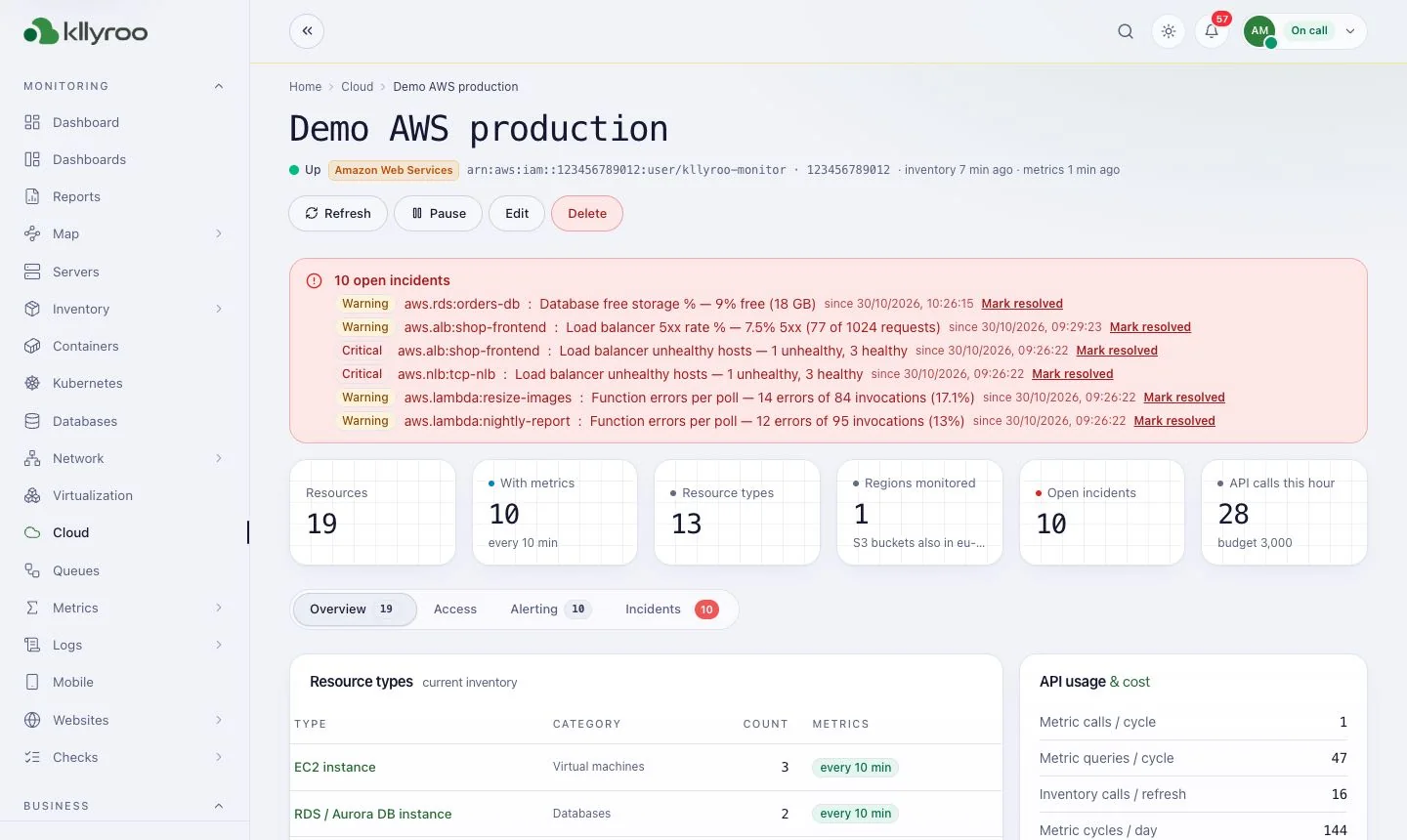
Kllyroo Cloud screen: AWS, Azure and GCP resources with open incidents.

Cloud

AWS, Azure and GCP resources with open incidents.

kllyroo.your-company.local
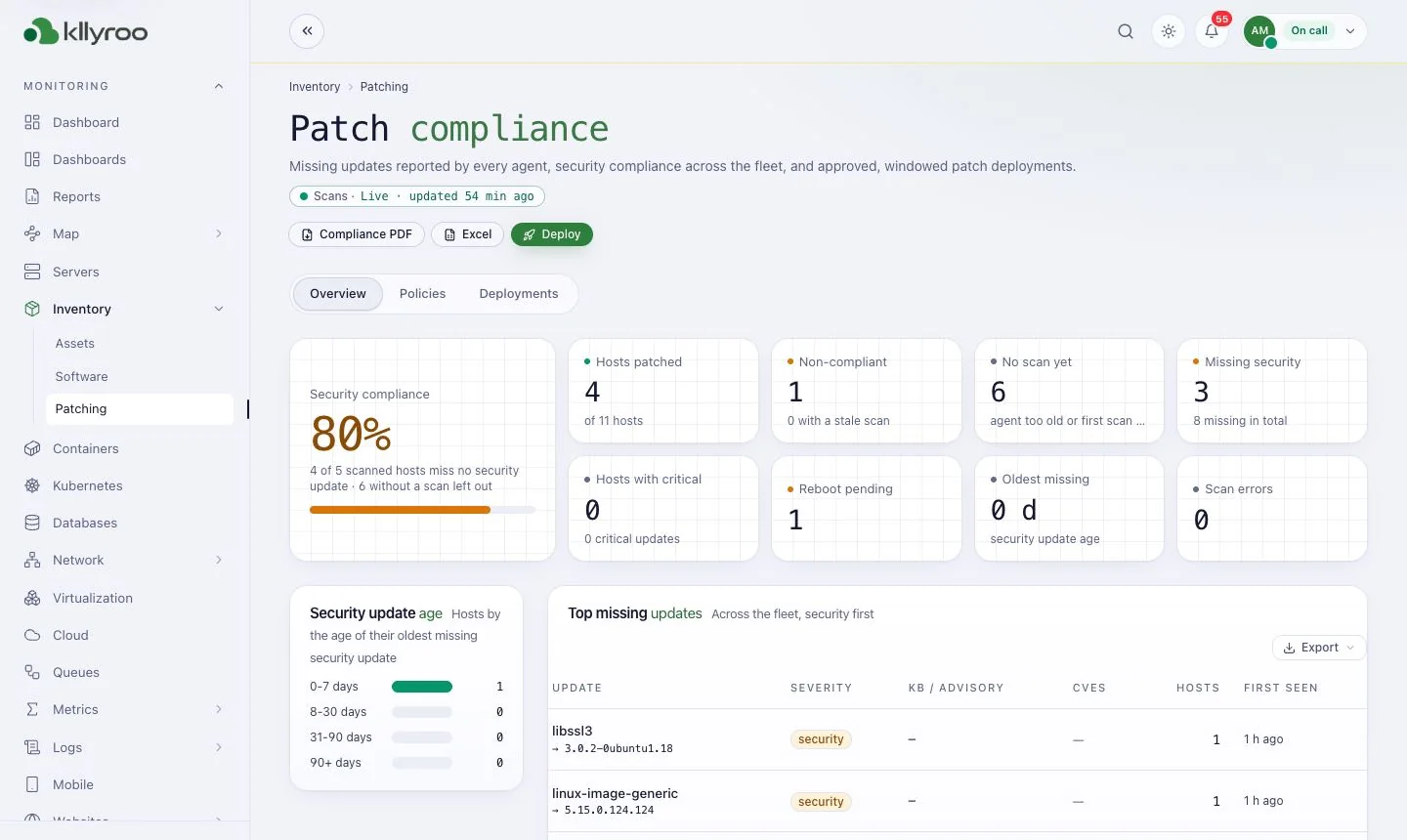
Kllyroo Patch compliance screen: Missing updates, security compliance and deployments.

Patch compliance

Missing updates, security compliance and deployments.

kllyroo.your-company.local
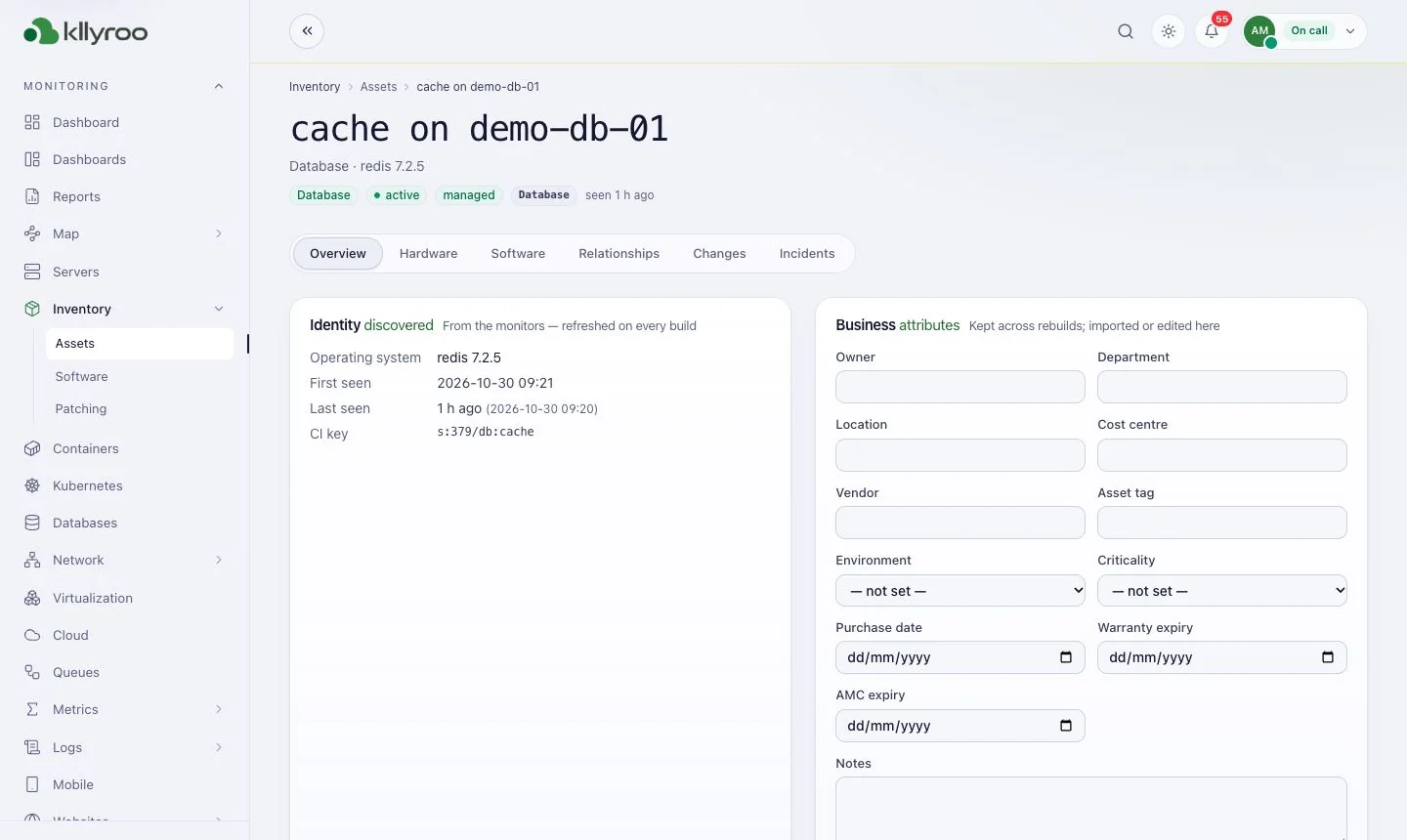
Kllyroo Inventory (CMDB) screen: Discovered identity and business attributes per asset.

Inventory (CMDB)

Discovered identity and business attributes per asset.

kllyroo.your-company.local
Kllyroo Metrics explorer screen: PromQL queries over everything Kllyroo stores.

Metrics explorer

PromQL queries over everything Kllyroo stores.

kllyroo.your-company.local
Kllyroo Dependency map screen: How servers, services, databases and websites connect.

Dependency map

How servers, services, databases and websites connect.

kllyroo.your-company.local
Kllyroo Changes screen: Deploys, packages, config and reboots on one timeline.

Changes

Deploys, packages, config and reboots on one timeline.

FAQ

Frequently asked questions

Does the Kllyroo agent open a port on my server?

No. The agent only makes outbound HTTPS connections to your own Kllyroo portal. Every script it runs is signed by Kllyroo and verified first.

Which operating systems are supported?

Most Linux distributions with OpenSSL 1.1.1 or newer (Debian, Ubuntu, RHEL, CentOS, Rocky, AlmaLinux, Fedora, SLES, openSUSE, Arch) and Windows Server 2016, 2019, 2022 and 2025 as well as Windows 10 / 11 with PowerShell 5.1.

How often does the agent report?

Every minute by default. Turn on Live mode on a server page to get per-second data for a short time while you investigate.

Can I deploy the Windows agent at scale?

Yes. Use Group Policy (GPO), Microsoft Intune or SCCM. Each server uses its own server key.

Next step

See Kllyroo on your own infrastructure

Get a guided walkthrough, sizing advice for your estate, and a licence quote. Kllyroo installs on your server in under an hour and runs fully offline.